What kanban is
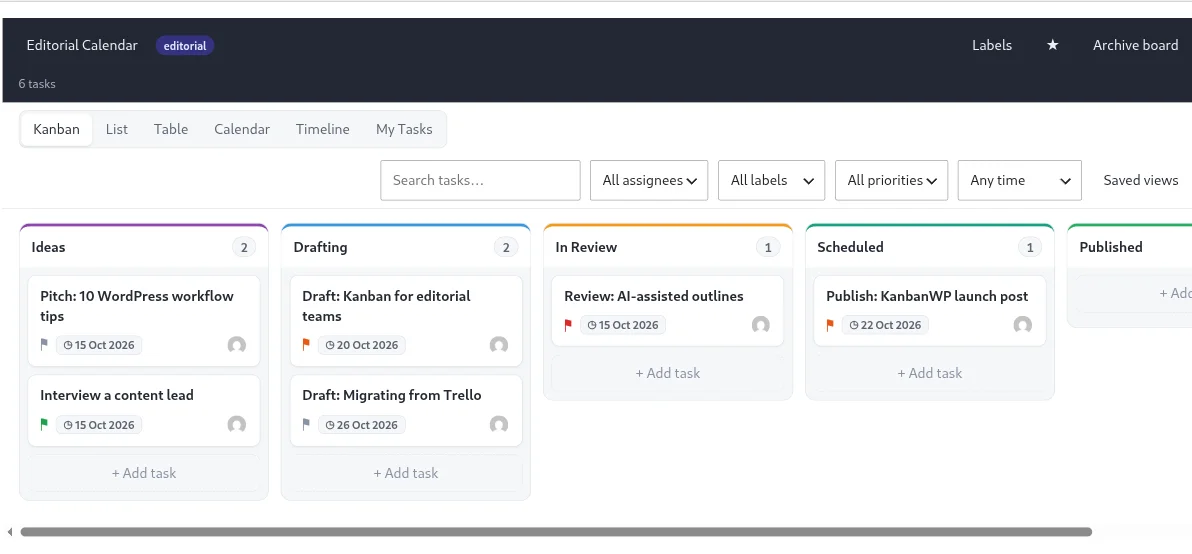
Kanban is a way to manage work by making it visible. You draw the steps your work goes through as columns, put each piece of work on a card, and move the card from left to right as it progresses. The word is Japanese for “signboard” or “card,” and the method grew out of manufacturing before software teams adopted it.
That is the whole starting point. You do not need sprints, story points or a new vocabulary. You need a board that shows the truth about where work is.
The three ideas that matter
1. Make the work visible
When work lives in inboxes, chat threads and people’s heads, nobody can answer simple questions: what are we doing, who has it, what is waiting? A board answers them in a glance. It also makes the quiet problems obvious, such as a card that has not moved in two weeks.
2. Limit work in progress
A work-in-progress limit, or WIP limit, is a cap on how many cards can sit in a stage at once. Starting is easy and finishing is hard, so teams drift toward having twenty things half done and nothing shipped.
A limit changes the question from “what else can we start?” to “what do we need to finish so we can start something?” If a stage is full, you help move something out of it before pulling in more.
In KanbanWP you set a limit on each stage. The stage shows its count against the limit and is flagged when you go over. It does not block anyone. It tells the team there is a problem and lets them decide.
How to pick a number: start with roughly the number of people working in that stage, then adjust. If the limit is never reached, lower it. If the team is constantly over it, look for the bottleneck before you raise it.
3. Manage flow
Flow is how smoothly cards move from start to finish. Two things reveal it:
- Where cards wait. A stage that is always full of cards, with the next stage always empty, is a bottleneck. Review, approval and waiting on clients are common ones.
- How long cards take. Cycle time is the time from when a card is created to when it is completed. If it climbs, work is waiting somewhere.
KanbanWP’s reports screen shows cumulative flow and average cycle time for a board, so you can check these without building a spreadsheet.
Why it suits small teams
- It works with the process you already have. Name the stages after what you really do.
- It is easy to explain. A new team member understands a board in a minute.
- It changes gradually. You can add a stage, set a limit or split a board whenever you need to, without a reorganization.
- It rewards finishing. Done work moves to the right and stays visible.
Common mistakes
- Too many stages. Each one is a place for work to wait. Start with three to five.
- No limits. Without limits, a board is just a to-do list with columns.
- A board nobody updates. Agree that the board is the source of truth, and keep it small enough to maintain.
- Cards that are too big. If a card sits for weeks, break it into subtasks or smaller cards.
Choosing kanban software
Any kanban tool needs stages, cards and WIP limits. Beyond that, compare cost per user, views, where your data lives and whether AI is included. See best free kanban board software in 2027 and best AI project management tools in 2027.
Try it
Pick one project, create a board, and map your real stages. Set one WIP limit where work tends to pile up, and watch what happens for two weeks. The installation guide gets you started, and understanding the kanban board covers the basics inside KanbanWP. For setups to copy, see project management, the editorial calendar and the sales pipeline, or start from a kanban board template.