Who this is for
Bloggers, content teams, agencies and publishers who plan content in a spreadsheet or a separate tool, then copy everything into WordPress. KanbanWP puts the plan next to the posts, and links the two.
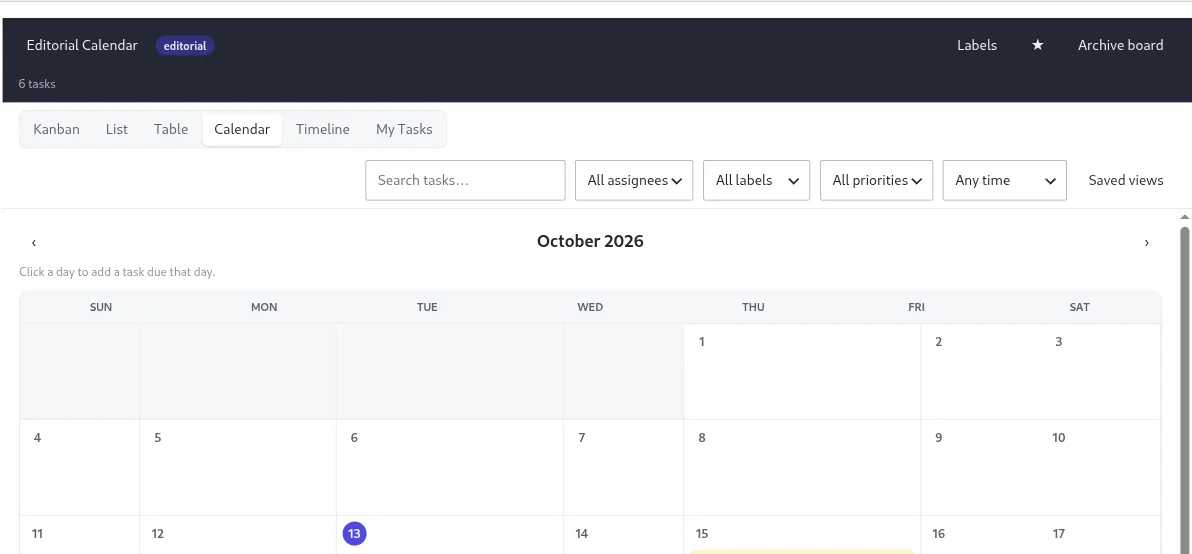
The Editorial template
Create a board from the Editorial template and you get these stages:
- Ideas
- Drafting
- In Review
- Scheduled
- Published
It also adds three labels, Article, Video and Newsletter, so you can see content types at a glance. Rename or add stages if your process differs, for example a separate Editing stage or a Promotion stage after Published.
How a post moves through
- Capture ideas as cards. Add a due date for the publish day and assign a writer.
- Use the card description for the brief, a checklist for the steps, and attachments for source material.
- Link the card to a WordPress post or page, or create a draft post straight from the card.
- Optionally map stages to post statuses in the board settings. Moving a card can then update the post status, and changing the post status moves the card. The sync works in both directions.
- If drafts already exist in WordPress, use the Import Drafts tool to turn draft and pending posts into cards.
- While you edit in the block editor, a sidebar shows the linked task and lets you jump to the board.
Features that help
- Calendar view shows cards by due date so you can spot empty days and pile-ups. The views guide explains each view.
- Comments with @mentions for editorial feedback, and internal comments if you share the board with clients.
- Roles let writers edit, editors manage and guest contributors only view.
- AI features on your own key, available through the REST API in version 1.0.0, can outline a post, write a first draft from a card, and suggest an SEO title, meta description, excerpt and keywords. You review everything before it goes anywhere. See AI.
Set it up
- Install KanbanWP.
- Create a board from the Editorial template.
- Read WordPress posts integration to link cards and map stages to statuses.
- Add your writers and editors under permissions and roles.
A short WIP limit on Drafting and In Review keeps content from stalling half-finished. More in why kanban works and the full feature list.