Who this is for
Small teams, agencies and freelancers who already work in WordPress and want one place to see what is planned, what is in progress and what is stuck. You do not need a separate project tool with another login, another bill and another place your data lives. Curious how AI fits? Read our guide to AI project management.
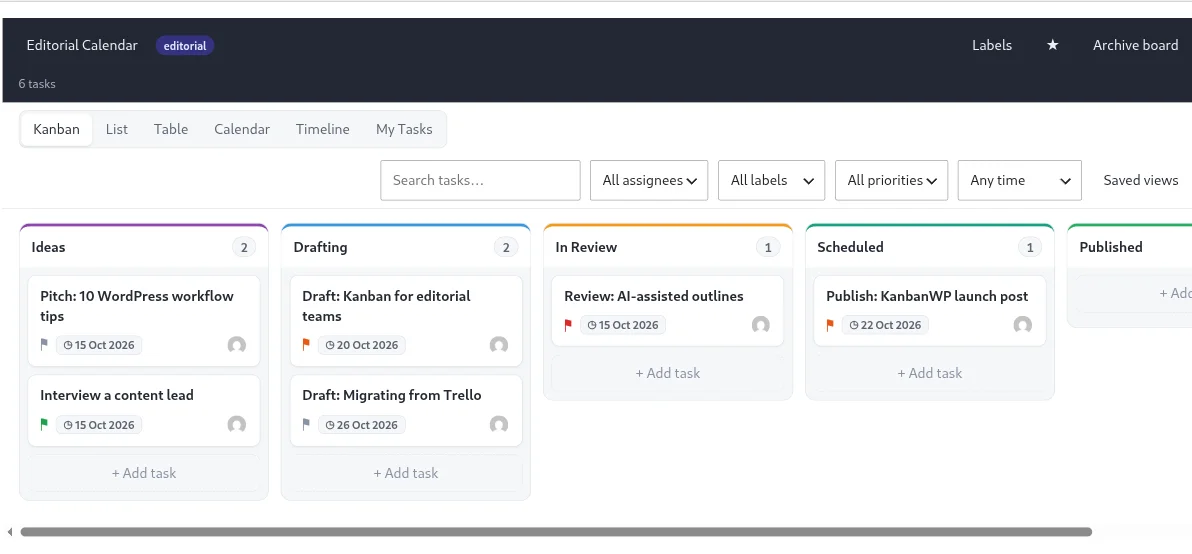
A suggested stage layout
The Blank template gives you To Do, Doing and Done. For most projects, add a little more:
| Stage | What belongs here |
|---|---|
| Backlog | Ideas and requests nobody has committed to yet |
| Ready | Defined, sized and waiting for someone to pick it up |
| In Progress | Work someone is actively doing |
| In Review | Done by the author, waiting for a second pair of eyes |
| Done | Finished and accepted |
Keep it short. Every extra stage is another place for work to wait.
Set limits so work finishes
Give In Progress a WIP limit, for example one or two cards per person on the team. KanbanWP shows the count against the limit on the stage and flags it when you go over. The limit is a signal, not a lock, so the team decides what to do when it appears. See WIP limits and the case for kanban.
Features that help
- Subtasks and dependencies to break big work down and show what blocks what. See subtasks and dependencies.
- Assignees, priorities and due dates on every task, with a My Tasks view for each person.
- Table, calendar and timeline views when you need more than columns.
- Swimlanes to separate work by team, client or project inside one board. See swimlanes.
- Reports with workload per member, cumulative flow and average cycle time, plus CSV export.
- Roles so you can give contractors edit access and stakeholders view-only access. See permissions and roles.
- AI if you want it: paste meeting notes and get tasks, or break a task into subtasks, using your own provider key. This makes KanbanWP an AI project management tool you control, with token caps and a usage log. See the AI guide and how it compares in best AI project management tools in 2027.
- Client sharing through a client portal.
Getting going
- Install the plugin.
- Create a board from a template and rename the stages to match how you really work.
- Set a WIP limit on the stage where work piles up.
- Add your team and give each person a role.
- Move over existing work with a Trello or CSV import.
Start from a ready board template, or compare tools in KanbanWP vs Trello. Read the best practices for habits that keep a board useful, or see everything in the feature list.