KanbanWP 1.0.0 is out. It is the first public release, and it is a full plugin rather than a skeleton: boards, tasks, collaboration, integrations and AI access all ship together. This post summarizes what is in the release, based on the changelog in the plugin’s readme.
Requirements
KanbanWP needs WordPress 5.8 or later and PHP 7.4 or later. The 1.0.0 release is tested up to WordPress 6.8. It is licensed under the GPLv2 or later and is free.
The 1.0.0 changelog, in plain terms
Boards and tasks
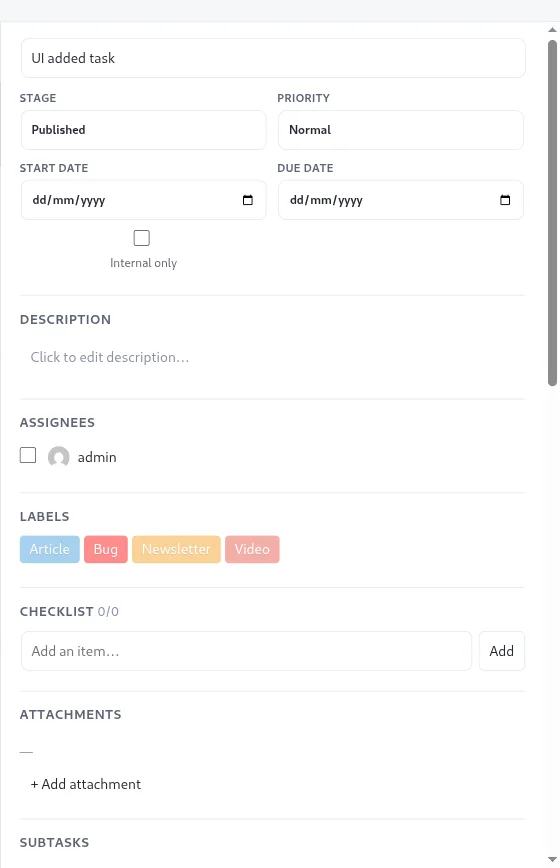
- Boards, stages and tasks, with drag and drop and work in progress limits on stages.
- Subtasks, labels, checklists, attachments, custom fields, dependencies.
- Swimlanes and saved views, so you can look at the same board in different ways.
- Board templates: Editorial, Client, Sales, Bugs and Blank.
- Folders and favorites for organizing boards, plus archive and duplicate.
Start with the tasks documentation and board templates if you want the details.
People and collaboration
- Board roles: admin, member, viewer and client.
- Comments with @mentions, plus internal-only tasks and comments that clients never see.
- In-app notifications, email digests, and Slack and Discord webhooks.
- A client portal, so people outside your team can follow a project.
See permissions and roles and the client portal.
Integrations
- A WooCommerce integration that turns orders and products into tasks.
- Cards that link to WordPress posts and pages, which suits editorial workflows.
- Outgoing webhooks for board events.
AI and automation
- AI assistance that runs on your own API key from OpenAI, Anthropic or Google Gemini, with per-user token caps and usage logging.
- A REST API, WP-CLI commands and an MCP server so AI agents can work with your boards.
We go deeper on these in Bring your own AI key and AI agents and MCP for WordPress boards.
What is deliberately not in 1.0
Honesty about gaps saves you a wasted install, so here are a few things the plugin does not do. There is no time tracking or time estimates, no automatic archiving of old tasks, and no license keys or paid add-ons, because there is nothing to buy. We also make no promise of live multi-user updates, so do not plan around two people watching the same board change in real time.
How to evaluate it in an afternoon
If you are deciding whether 1.0 fits your team, a short trial tells you more than a feature list:
- Install it on a staging site or a quiet production site.
- Create a board from the template closest to your work, and rename the stages.
- Add ten real tasks, including one with a checklist and one with a due date.
- Invite one colleague as a member and one person as a viewer or client, and check that they see what you expect.
- Use it for a week, then decide whether to keep it.
A new plugin, not an upgrade
Version 1.0.0 is the first version of a new plugin under new ownership. It is not an update to the old “Kanban for WordPress” plugin and does not share its code. If you have data in that older plugin, the importing from the previous plugin page explains your options. Trello users can bring boards across with the Trello importer.
Try it
Install it, create a board from the template closest to your work, and rename the stages until they match reality. The installation guide takes you through setup, and the changelog will list every release from here on. If something breaks or is missing, tell us on the contact page. Early feedback will shape what comes in the releases after 1.0.
Coming from Trello? See KanbanWP vs Trello. New to AI on boards? Read AI project management.